
 Download the App
Granny Square Generator: Plan Your Blanket Layout, Colors & Yardage in Minutes
13 Aug, 2026
A granny square generator is a free online tool that plans your entire granny square blanket before you crochet a single stitch how many squares you need, what colors to use, and how much yarn to buy. Enter your target blanket size and square size, and it returns a complete visual layout with a color plan and yardage breakdown. Your inputs never leave your device. Plan the whole blanket in minutes, then crochet from a real plan instead of a guess.
At a Glance
| What it plans | Blanket size, square size, yarn weight, color distribution, joining method, yardage |
|---|---|
| What it doesn't do | Garment/cardigan shaping, square stitch-style selection |
| Cost to use | Free, no sign-up |
| Where your data goes | Nowhere inputs stay on your device |
| Output | Visual grid layout, color plan, yardage breakdown copy, save, or share |
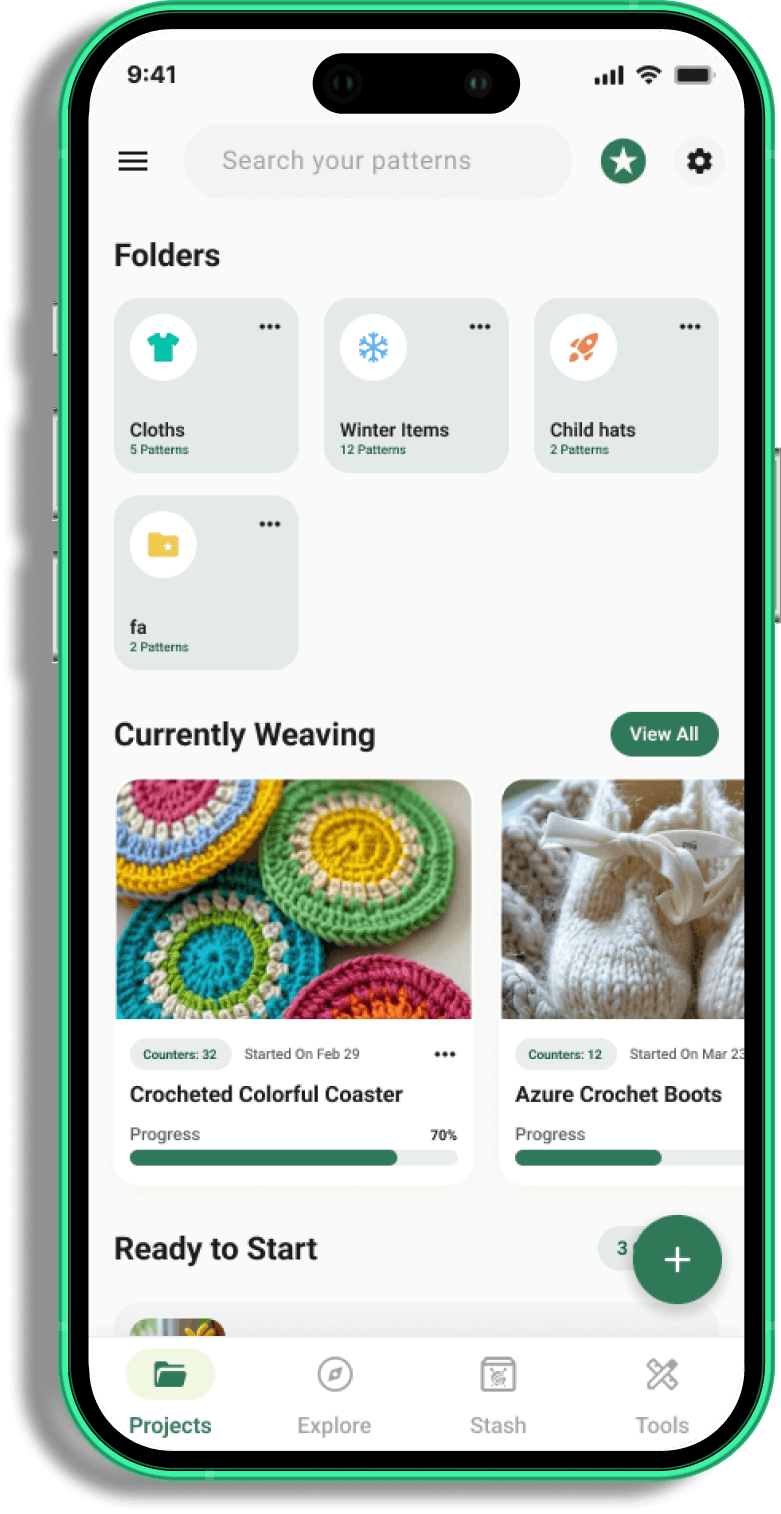
Get This Pattern in the Yarnzy App
 Download Now
What Is a Granny Square Generator?
A granny square generator is a planning tool, not a pattern. It doesn't tell you how to crochet a granny square, it tells you how many to make, what size, in what colors, and how much yarn to buy before you start. Think of it as the step between "I want to make a blanket" and actually picking up a hook: you feed it your target size and your square size, and it hands back a real layout instead of a guess.
This is different from a granny square calculator that only does one job (say, converting inches to stitch counts). A full generator combines sizing, color planning, and yardage estimation in one place, so you're not bouncing between three separate tools or three separate tabs of other people's blog posts to plan one blanket.
How Many Granny Squares Do You Need for a Blanket?
This is the question that stops most granny square blankets before they start, and it has a genuinely simple answer once you know two numbers: your target finished size, and your square size.
Here's the math in plain terms: squares needed = (blanket width ÷ square width) × (blanket length ÷ square length). So if you're making a 50"×60" throw out of 6" squares, that's roughly 8 squares across (50 ÷ 6) and 10 squares down (60 ÷ 6) 80 squares total. Bump up to 8" squares for the same throw and you're down to about 48 squares. This is exactly the kind of arithmetic a generator does instantly instead of you doing it on a notepad mid-project.
Granny Square Blanket Size Chart (Throw, Twin, Full, Queen, King)
These are common general-purpose sizing conventions that treat them as a starting point, not a fixed rule, since actual finished sizes vary by pattern and personal preference. This is exactly why a generator supports custom dimensions instead of locking you into presets.
| Blanket size | Approx. finished dimensions |
|---|---|
| Baby/Lovey | 30" × 35" |
| Throw | 50" × 60" |
| Twin | 70" × 90" |
| Full/Queen | 90" × 90" |
| King | 108" × 90" |
How Big Should Each Square Be?
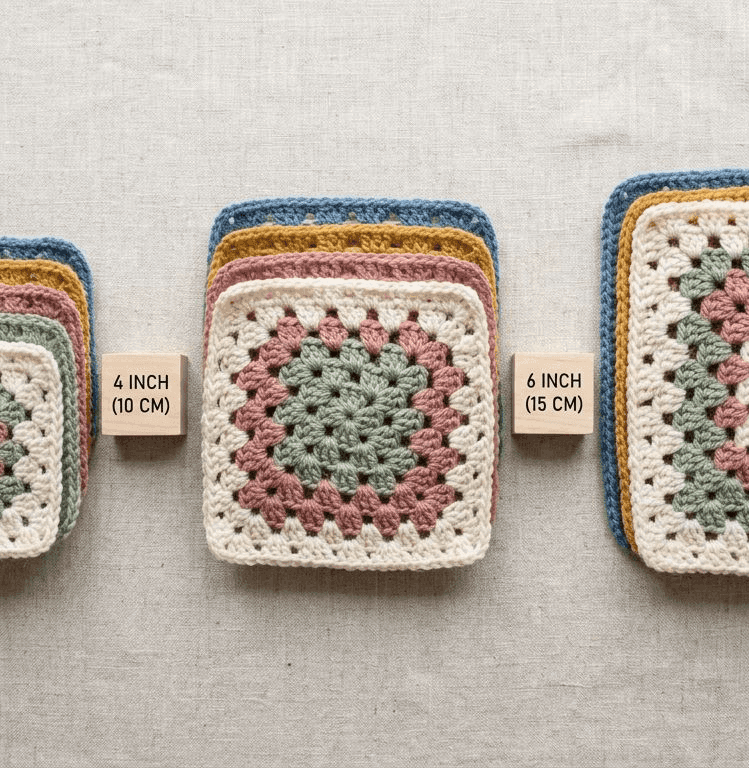
There's no universally "correct" square size. 4", 6", and 8" squares are all common, and the size you choose changes two things: how many squares you'll need, and how visible your color pattern reads at a distance. Smaller squares (4") give you more color-placement control and a busier, more detailed look, but mean more squares to make and more ends to weave in. Larger squares (8"+) finish faster with fewer pieces, but each color choice reads more boldly since there's less of it to go around.
How to Use a Granny Square Generator (Step by Step)
The workflow behind a granny square generator and specifically how ours works comes down to three steps, and you can move through all of them in a few minutes.
Step 1: Set Your Grid and Rounds
Start with your finished-size target, pick a preset (throw, twin, full, queen, king) or enter a custom width and length if you're planning something non-standard, like a lapghan or a pet blanket. Pair that with your square size and yarn weight, and the tool builds your grid: how many squares wide, how many tall, and the total count.
Step 2: Build Your Color Palette and Generate
Once your grid exists, add your colors anywhere from 2 to 8 and choose how they distribute across the layout. This is where the granny square diagram actually takes shape: you'll see exactly which square gets which color before you've committed a single stitch to it.
Step 3: Preview and Crochet From Your Layout
The finished layout is your working reference. Copy it, save it, or share it, and crochet square by square against the visual grid instead of trying to hold the plan in your head. If you change your mind on a color halfway through, you're adjusting a digital layout, not unraveling finished squares.
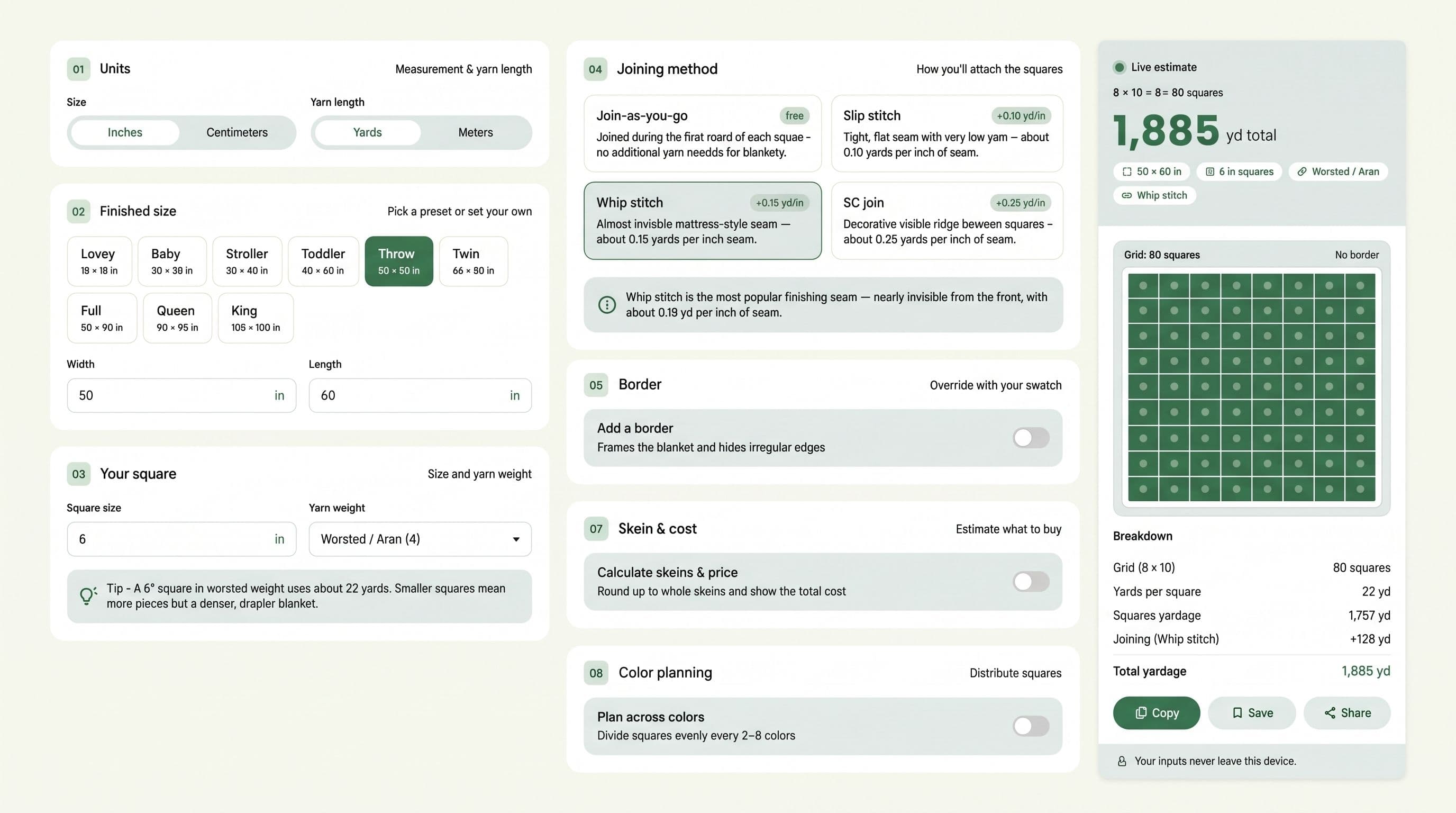

Plan Your Layout in Minutes Set your size, build your color palette, and get a full grid layout with yardage all before you pick up a hook.
Choosing Colors for Your Granny Square Blanket
Color is where most granny square blankets either come together or fall apart visually, and it's also the part people most often wing. A crochet color scheme generator removes the guesswork by building your palette against real color theory instead of "these all seemed nice in the store."
Color Theory Basics for Granny Squares
A few reliable starting points, in plain terms rather than design-school jargon:
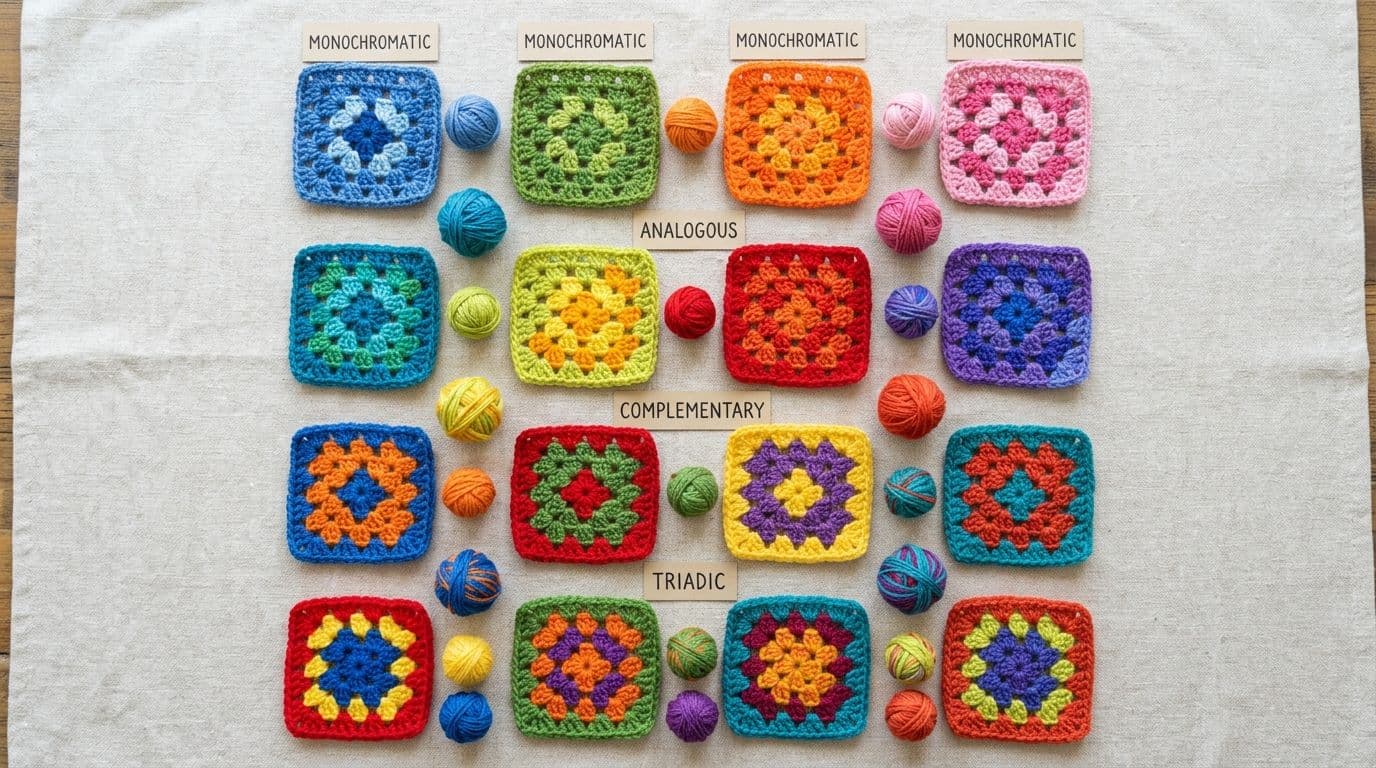
• Analogous colors that sit next to each other on the color wheel (think blue, teal, green). Low contrast, calm and cohesive, hard to get visually wrong.
• Complementary colors from opposite sides of the wheel (blue and orange, red and green). High contrast, bold, works best when one color leads and the other accents.
• Triadic, three colors evenly spaced around the wheel. More energetic than analogous, more balanced than a straight complementary pairing.
• Monochromatic, different shades and tints of a single color. The safest option for a cohesive look, especially for a first granny square project.
None of these are rules you have to follow exactly, they're starting points that keep a multi-color blanket from reading as random once it's finished.
How to Distribute Colors Evenly Across Squares
Picking good colors and distributing them well are two different problems. Even a well-chosen palette can look lopsided if one color clusters in a corner instead of spreading across the blanket. This is the part a yarn color palette generator actually solves for you: it spreads your chosen colors across the full grid algorithmically, rather than you eyeballing where each square goes and discovering the imbalance only once it's assembled.

Build a Real Color Plan Our Color Palette tool builds your palette using real color theory analogous, complementary, triadic, or monochromatic then distributes it across your full grid automatically.
Planning Yardage and Skeins for Your Blanket
This is the step that gets skipped most often, and it's the one that causes the most mid-project trips back to the yarn store.
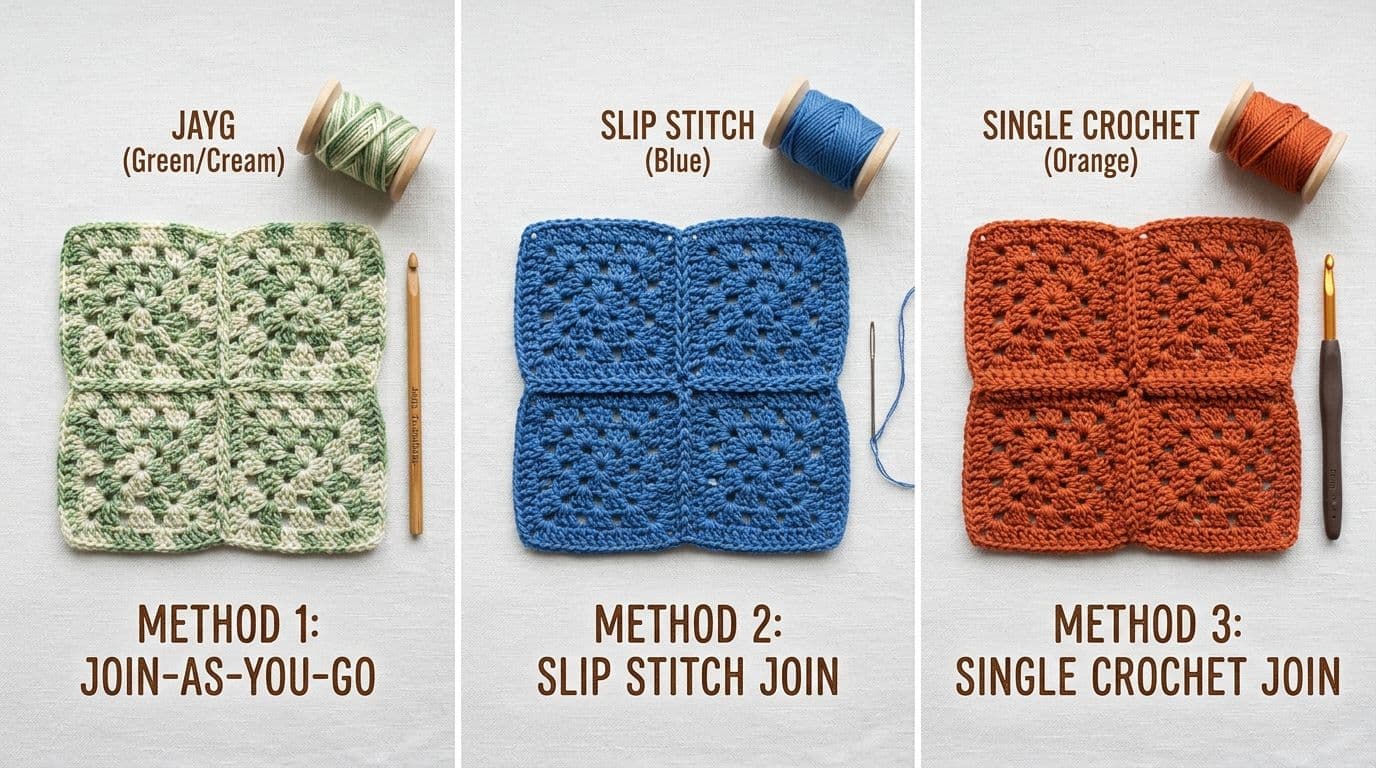
How Joining Method Affects Your Yardage
Here's something most granny square resources don't mention at all: how you join your squares changes how much yarn you need, sometimes significantly. Join-as-you-go costs essentially nothing extra in yarn, since you're joining with the working yarn as you finish each square. Slip stitch joining and whip stitch joining both use a separate length of yarn per seam, which adds up across a full blanket. Single crochet (SC) joining uses the most additional yarn of the common methods, since it's adding a full round of stitches at every seam, not just a pass of thread.
If you're estimating yardage from square count alone and ignoring joining method, you can end up meaningfully short which is exactly the kind of surprise a real generator accounts for and a rough manual estimate usually doesn't.
Estimating Skeins and Cost
Once your square count, yarn weight, and joining method are set, translating that into skeins and an approximate project cost is simple math but it's tedious math to do by hand across dozens of squares. This is where a granny square yarn calculator earns its keep: enter your numbers once and get a full yardage breakdown, skein count, and cost estimate together, rather than calculating each separately and hoping your rounding didn't compound into a real shortfall.
If you already have a specific pattern's yardage requirement and just want to sanity-check it, our Yarn Calculator works from that angle too.
Can You Use a Granny Square Generator for a Cardigan?
Short, honest answer: not for the shaping itself. A granny square generator plans layout, color, and yardage for a flat, rectangular (or custom-shaped) piece, a blanket, a throw, a rug. It doesn't calculate garment shaping like armholes, necklines, or waist tapering, which is a fundamentally different kind of pattern math.
What it can still help with, even for a cardigan project: if your cardigan pattern is built from granny square panels (a genuinely common construction method), the generator can help you plan the color and yardage for those individual square panels before you assemble them into the garment shape. It just isn't going to tell you where to place your armhole. That part still comes from your cardigan pattern itself.
Granny Square Project Ideas Beyond Blankets
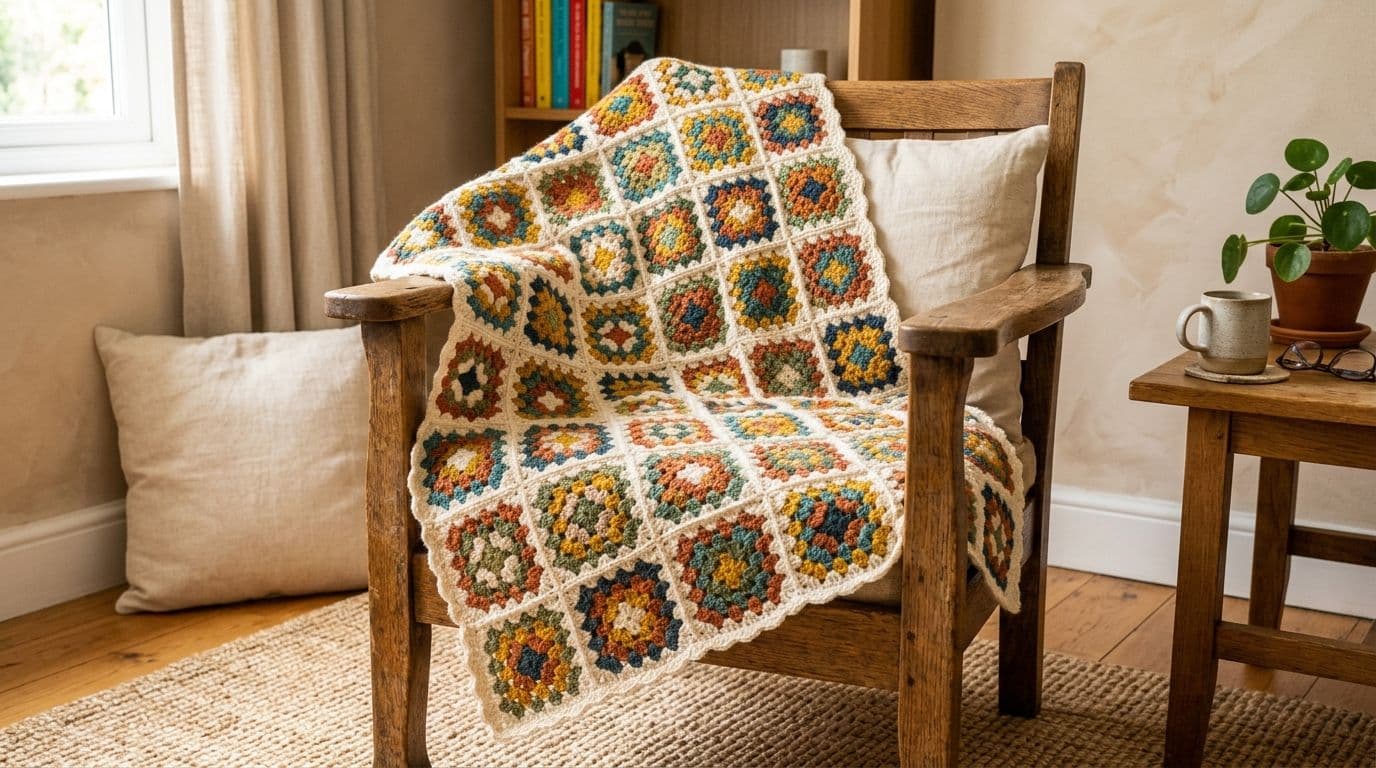
Blankets get most of the attention, but granny squares scale down just as well as they scale up. A few common granny square projects worth planning the same way:
• Pillow covers: a small, fast way to test a color palette before committing to a full blanket
• Tote bags or market bags: a handful of squares joined into a simple rectangle, structured with a lining
• Scarves and cowls: a single row or column of squares, joined lengthwise
• Coasters or placemats: individual squares, no joining required at all
• Garment panels: cardigans and vests built from squares, as covered above
The same size-and-color planning logic applies at any scale, you're just working with a much smaller grid.
Common Mistakes to Avoid When Planning a Granny Square Blanket
A few planning mistakes come up again and again, and every one of them is avoidable at the planning stage rather than the crocheting stage:
• Skipping a gauge swatch before committing to a square size. Your actual tension can push a "6-inch square" pattern to 5.5" or 6.5" depending on how you crochet and that difference compounds across dozens of squares into a blanket that's noticeably off from your target size.
• Estimating yardage without accounting for joining method. As covered above, this is a real and common shortfall, not a minor rounding error, plan your joining method before you buy yarn, not after.
• Choosing colors square-by-square instead of planning the full distribution first. A palette that looks good in your hand can still read as clumpy or imbalanced once it's spread across 60+ squares; this is exactly the problem a color distribution tool solves.
• Not accounting for borders and edging yarn. If you're planning a bordered blanket, that final round (or several) uses real yardage that's easy to forget when you're estimating from square count alone.
Frequently Asked Questions
It depends on your target blanket size and your square size divide your blanket's width and length by your square's width and length, then multiply those two numbers together. For a 50"×60" throw made from 6" squares, that works out to roughly 80 squares. Use the Square Planner to get an exact count for your specific dimensions instead of doing the math by hand.
Share this page
 X / Twitter
 Facebook
 Reddit
Related articles
Bernat Yarn Substitutes: What to Use Instead of Blanket, Maker, Pipsqueak & Bundle Up

How to Crochet a Pumpkin: Free Patterns for Fall & Halloween Decor
How to Read Crochet Patterns: A Beginner's Guide

Yarnzy: #1 Crochet & Knitting App
Track knitting and crochet projects with a timer & row counter, Import Patterns from Anywhere, Manage Stash & more all in one place.


Free to start · iOS, Android & Web
Scan to Download the App

Start your next project with confidence